

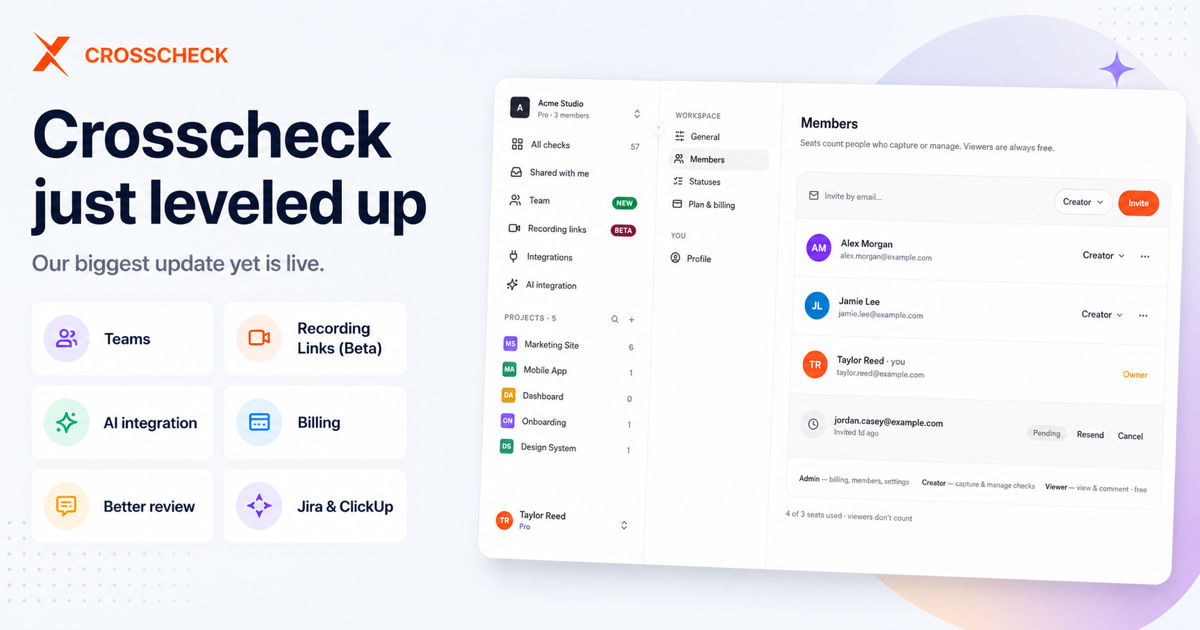
Crosscheck just leveled up: Teams, Recording Links, AI integration, and self-serve billing
We've been heads-down for a few weeks.
And a lot just went live. This is our biggest update yet.
It's all in your workspace right now. Here's what's new.
What's new at a glance
Short on time? Here's the whole release in a few lines:
- Teams — invite your whole workspace and set roles (Admin, Creator, Viewer). Viewers are always free.
- Recording Links (Beta) — collect checks from anyone with a link. No account needed.
- AI integration — connect Crosscheck to your AI assistant so it can work with your checks.
- Self-serve billing — start a free trial, manage seats, see invoices, and cancel anytime, yourself.
- A better way to review — a new media player, cleaner comments, and one-click bug reports.
- Tickets — turn any check into a ClickUp task or Jira issue.
- Move checks between workspaces — reorganize without losing anything.
- A fresh new look — a cleaner, faster app built on one design system.
Want the details? Keep reading.
Teams — bring everyone into your workspace
Crosscheck has always been good at capturing and reviewing checks.
Now it's built for doing that with your whole team.
There's a new Team page. Invite people by email, and pick what each person can do:
- Admin — runs everything: billing, members, and settings.
- Creator — captures and reviews checks. The day-to-day work.
- Viewer — views and comments. Always free.
Need to change someone's role? Do it anytime. You can also resend a pending invite or remove a member. Each pending invite shows how long ago you sent it, so nothing slips through the cracks.
Here's the best part: viewers don't use a seat.
So you can add as many clients, stakeholders, and reviewers as you want, without paying more. Save your paid seats for the people who actually create checks.
Where to find it: open your workspace and click Team in the sidebar. Or go to Settings → Members.
Recording Links — collect checks from anyone (Beta)
Sometimes the person who needs to record a check isn't on Crosscheck.
A client. A customer. A teammate stuck in another tool.
Recording Links fixes that.
Create one link. Share it with anyone. They record a check right in their browser, with no account and no sign-up. Everything they capture comes straight to you.
On your end, it all stays tidy:
- A clean list of every recording that comes in.
- A detailed view for each one.
- Tabs and insights per project, so nothing gets lost.
Building your own product? There's a dedicated SDK page to drop recording capture right into your app.
Recording Links is in Beta. It works today, and we're making it better based on your feedback.
AI integration — connect Crosscheck to your AI tools
Crosscheck now works with your AI assistant.
Open the new Integrations area and connect it. From there, your AI can work with your checks directly. No copy-pasting between tabs.
Setup is quick:
- A simple, step-by-step connection flow.
- A live status, so you always know if you're connected.
- A clear consent screen that shows exactly which app you're approving, logos and all.
We also locked things down. Unverified apps and bad redirects get blocked automatically. So your connection is safe by default.
Manage your plan yourself
Billing now lives inside Crosscheck.
No emails. No support tickets. No waiting. You're in control from start to finish.
Start with a free trial. New Pro workspaces get 7 days free, with a countdown so you always know where you stand. Cancel before it ends and you won't pay a thing.
Change seats anytime. Add or remove seats as your team grows or shrinks. Before you confirm, you'll see the exact prorated cost. No surprise charges later. (And remember: viewers are free.)
See every invoice. Your full billing history is right in the app, with Stripe invoices you can download or send to finance.
Cancel or come back on your terms. If you cancel, a two-step flow shows you exactly what you'll lose first. Change your mind? Resume in one click.
No more dead ends. Free workspaces now get clear, honest screens. Read-only views for expired checks. A simple paused state for viewers. No confusing walls.
A better way to review
We rebuilt the core of Crosscheck: the screen where you watch and discuss a check.
- A new media player. Smooth scrubbing, full keyboard control, and real volume control. Getting to the exact moment is easy.
- Cleaner image comments. Easier to read and follow.
- Better video playback. We fixed the layout and seeking bugs, so recordings just play.
- A polished side panel. File a bug report straight from the Actions menu.
- Comments on public checks. Logged-in viewers can now join in, even outside your workspace.
Turn a check into a ticket
Spot a bug? Send it straight to your issue tracker.
The new ticket picker creates a ClickUp task or a Jira issue in a couple of clicks. No copy-pasting details by hand.
Already linked a check to a task? You'll see a ClickUp or Jira badge right on the card and in the table, so you know what's handled at a glance. Jira users get proper subtask support too.
Move checks between workspaces
Reorganizing?
You can now move checks from one workspace to another, right from your workspace settings.
Handy when you're splitting teams, setting up a new client workspace, or just cleaning house.
A fresh new look
Last but not least, the part you'll see everywhere: a top-to-bottom redesign.
Behind the scenes, we rebuilt our styling on one design system. The same typography, colors, spacing, and motion across the board.
What does that mean for you? A cleaner, faster, lighter app. Better dark mode. And a settings experience that finally feels consistent.
It's the same Crosscheck you know. Just sharper, calmer, and easier on the eyes.
Try it now
Everything here is live in your workspace today. Nothing to install. Nothing to turn on.
The best place to start? Invite your team.
Got questions or feedback? Email us at [email protected]. A real person reads every message.
Happy checking, The Crosscheck team



 Add to Chrome