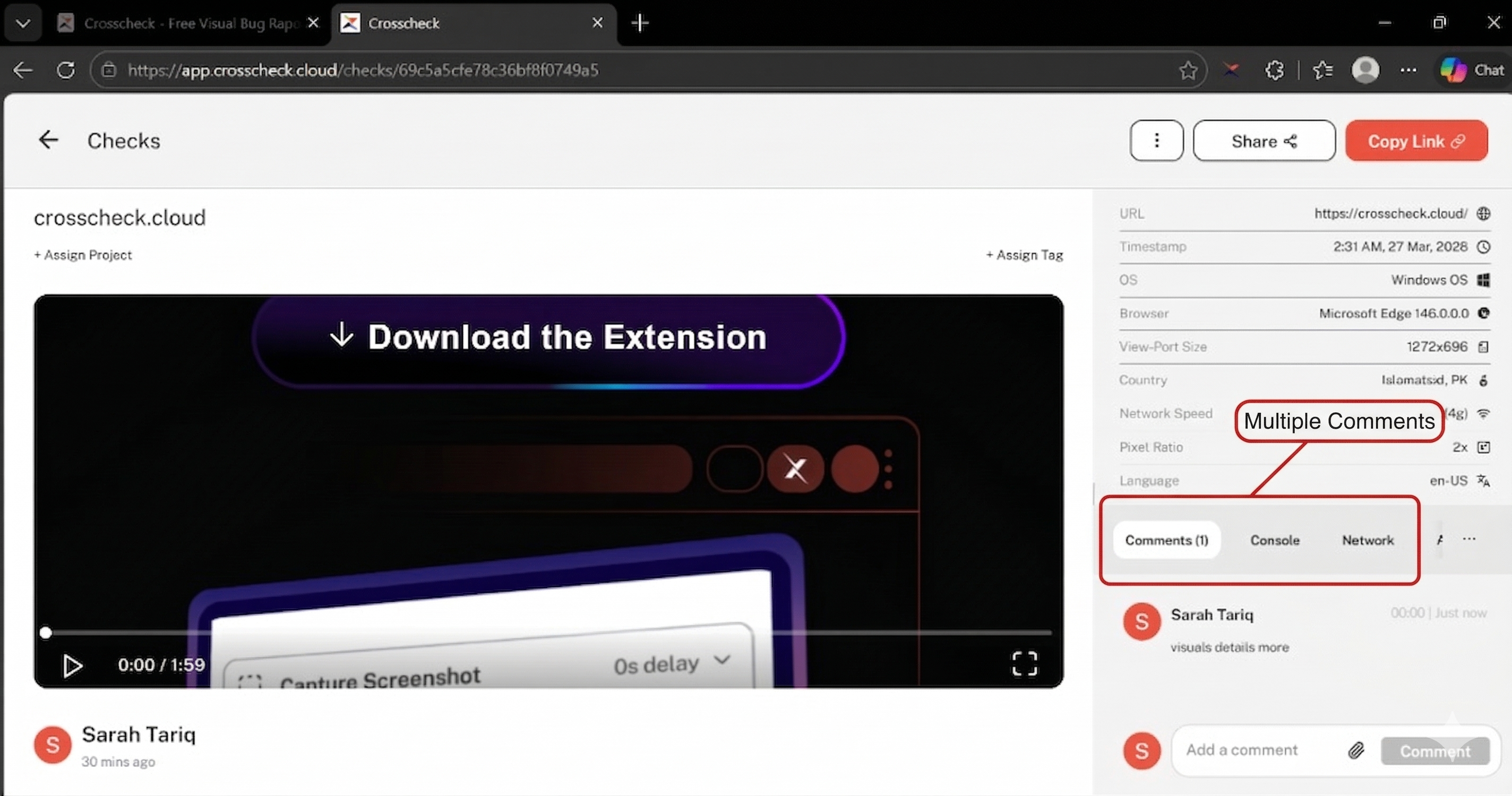
Comments & Collaboration
Crosscheck includes a built-in commenting system on every check, so your team can discuss issues in context. Instead of switching between your bug tracker, chat app, and email, you can keep the conversation right alongside the check evidence.
Adding a Comment
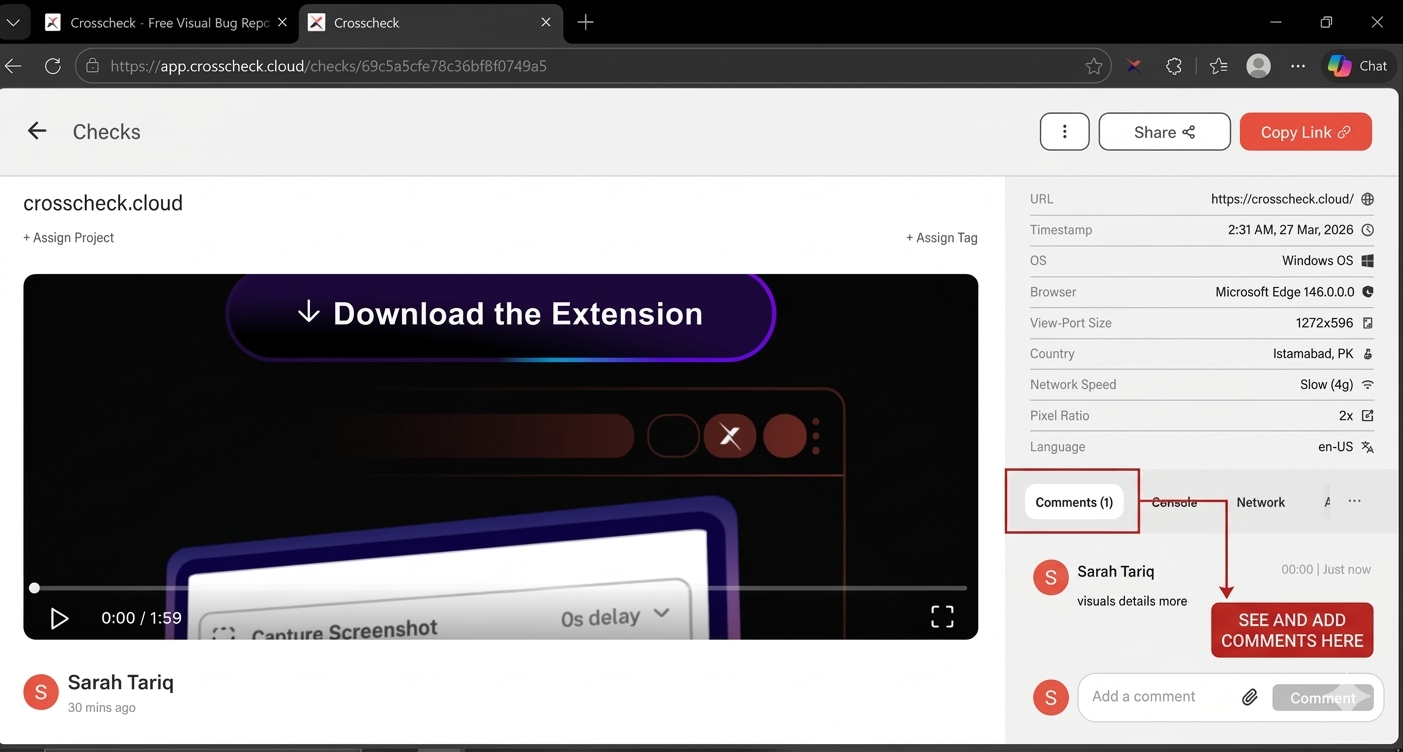
Open any check and scroll to the comments section at the bottom of the detail view. Type your message in the text field and press the Comment button to post it. Your comment will appear immediately in the discussion thread.
Comment Features
File Attachments
You can attach images to your comments to provide additional visual context. Supported formats include JPG and PNG. Click the attachment icon in the comment input area to select a file, or drag and drop an image directly into the text field.
Public and Private Comments
Comments can be left by workspace members on any check. When a check is shared via a public link, external viewers can also leave comments without needing a Crosscheck account.
Discussion Thread
Comments are displayed in chronological order as a threaded conversation. Each comment shows:
- Author — the name and avatar of the person who posted the comment.
- Timestamp — when the comment was posted, displayed as a relative time (e.g., "2 hours ago").
- Message — the full text of the comment, along with any attached images.
Common Use Cases
QA-to-Developer Communication
QA engineers can capture a bug and leave a comment describing the steps to reproduce, the expected behavior, and any other observations. Developers can then respond with questions or confirm the fix, all in the same place as the evidence.
Review and Feedback
Product managers or designers can review a check and leave feedback or approval comments. This creates a documented audit trail of the review process tied to the specific visual evidence.
Troubleshooting Together
When investigating a complex issue, team members can share their findings in the comment thread. For example, a developer might note a specific console error they noticed, while another team member points out a related network request failure.