
Using in Incognito
By default, Chrome extensions are disabled in Incognito windows. If you need to capture bugs or test in Incognito mode, you must explicitly enable Crosscheck for Incognito use. Once enabled, the extension works the same as in a regular browser window, including screenshots, screen recordings, instant replays, and developer context capture.
How to Enable Crosscheck in Incognito Mode
Follow these steps to allow Crosscheck to run in Incognito windows.
Open the extensions page
chrome://extensions in the address bar. This page lists every installed extension under All Extensions.Find the Crosscheck card and click Details
Turn on Allow in Incognito
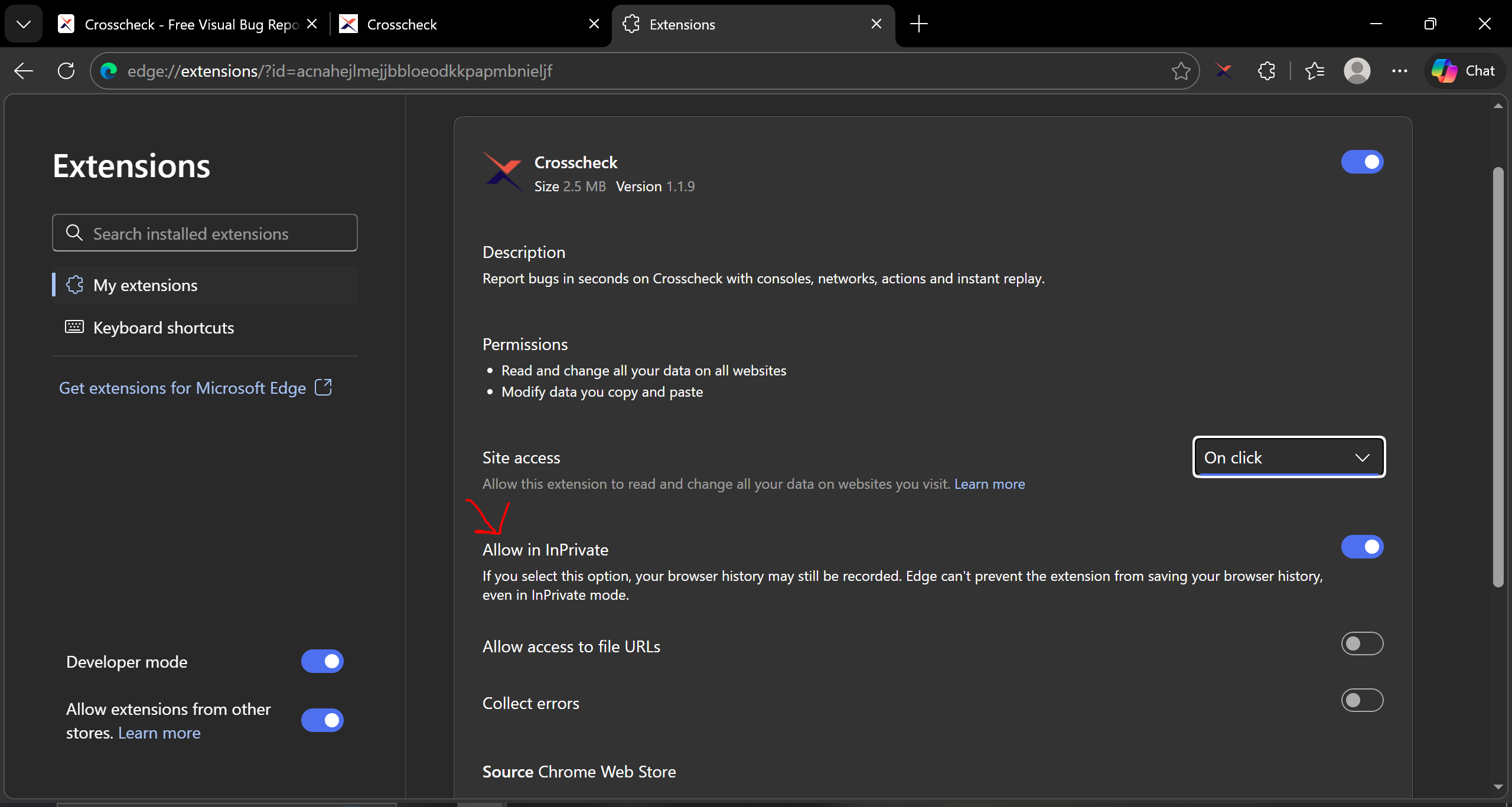
Open an Incognito window and verify
How Checks Work in Incognito
Once enabled, Crosscheck functions identically in Incognito mode as in regular windows. All check types are available.
- Screenshots -- full-page and visible area checks work as expected.
- Screen recordings -- both Current Tab and Full Screen modes are fully supported.
- Instant replays -- session recording runs in the background and captures the last 1 to 5 minutes of activity.
- Developer context -- console logs, network requests, and user actions are captured automatically just like in regular tabs.
Important Notes
Authentication
You must be logged in to Crosscheck for checks to work. Since Incognito windows do not share cookies or storage with regular windows, the extension uses your existing login session. If you are already logged in to Crosscheck in a regular window, your login persists across regular and incognito windows.
Extension Storage
Extension settings and login data are shared between regular and Incognito windows. However, any temporary data stored in the page context (such as in-progress session recordings) does not persist after the Incognito window is closed.
When to Use Incognito Checks
Incognito mode is useful when testing scenarios that require a clean browser state, such as first-visit experiences, authentication flows, cookie-dependent features, or verifying behavior without cached data. Crosscheck lets you capture these scenarios with the same rich context as regular window checks.